Free Subtitle Generator
Generate SRT and VTT subtitles from any video or audio file automatically.
Free without sign-up: 1 file per day, up to 10 minutes. Audio is deleted automatically after 7 days.
- Audio and video files, up to 10 hours on Pro
- 20 languages, or automatic detection
- Export TXT, Word, SRT, VTT and JSON
- Audio deleted after 7 days
Subtitles in three steps
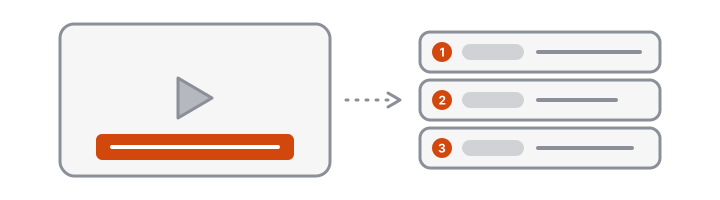
- Upload your video or audio file. Your browser extracts the sound, so the video itself stays on your device.
- Let VoceText transcribe it. Every line gets a start and end time.
- Download SRT or VTT and add it to your video.
SRT or VTT: which file to download
| SRT | VTT | |
|---|---|---|
| Use it for | YouTube, Facebook, LinkedIn, Premiere Pro, DaVinci Resolve, CapCut | HTML5 video players and websites |
| Opens in a text editor | Yes | Yes |
| When unsure | Start here | Use when a web player asks for it |
Both files contain the same text and timing. If one is rejected, download the other.
Where to add the subtitle file
- YouTube: open the video in YouTube Studio, go to Subtitles, choose Upload file and select the SRT with timing.
- Video editors: import the SRT as a caption track, then adjust the style and position there.
- Your own website: reference the VTT file from the video player as a captions track.
Check before you publish
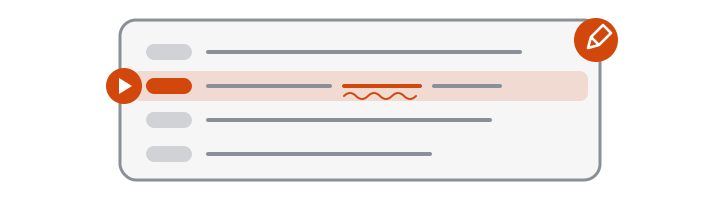
Automatic subtitles are a fast first draft. Before publishing, read through once for names, brand terms and numbers, and correct them in the editor. Timing comes from the audio itself, so it stays aligned after you fix the wording.
What a subtitle file looks like
A subtitle file is plain text. Each cue has a number, a start and end time, and the words to show. This is part of the SRT for the reviewed two-person interview on the homepage, downloaded with speaker labels:
6
00:00:12,700 --> 00:00:13,300
Speaker 2: Philip Baker.

7
00:00:13,400 --> 00:00:14,650
Speaker 1: Philip Baker. Of course.

8
00:00:14,700 --> 00:00:16,850
Someone else said I knew I was gonna get that wrong.
A label appears only where the speaker changes. Speaker labels need Pro speaker identification, and you can switch them off in the Download menu.
The VTT version starts with a WEBVTT line and writes the times with a dot instead of a comma:
WEBVTT

00:00:12.700 --> 00:00:13.300
Speaker 2: Philip Baker.
You can open either file in any text editor to make a last-minute change.
Subtitles, captions and transcripts
- Subtitles and captions are timed lines shown over the video. Download SRT or VTT.
- A transcript is the full text for reading, quoting or publishing below the video. Download TXT.
All three come from the same transcription, so you only upload the video once.
Why add subtitles?
Most social video is watched without sound. Subtitles keep viewers watching, make your content accessible to deaf and hard-of-hearing audiences, and give search engines text they can understand.
Free and Pro limits at a glance
| Without an account | Free account | Pro | |
|---|---|---|---|
| Price | Free | Free | $10/month or $96/year |
| Files per day | 1 | 3 | No daily limit |
| Longest file | 10 minutes | 30 minutes | 10 hours |
| Monthly allowance | Daily limit only | 10 hours | 100 hours |
| Speaker identification | Not included | Not included | Up to 10 hours per month |
| Edit and save transcripts | Not included | Included | Included |
| Download formats | TXT, DOCX, SRT, VTT, JSON | TXT, DOCX, SRT, VTT, JSON | TXT, DOCX, SRT, VTT, JSON |
| Transcripts kept for | 24 hours | 30 days | Until you delete them |
Frequently asked questions
How do I generate subtitles for a video?
Upload your video above and click Transcribe. When the transcript is ready, open the Download menu and choose SRT or VTT.
Which subtitle format should I use?
SRT works almost everywhere, including YouTube, Facebook and most video editors. VTT is the standard for web video players.
Are long lines split for readability?
Yes. Long sentences are split into shorter cues of at most 84 characters, so captions stay readable on screen.
Can I fix mistakes before I download?
Yes, with a free account or Pro. Correct the text in the editor while listening to the passage, save, and then download the subtitle file.
Does it burn subtitles into the video?
No. VoceText gives you the subtitle file. Add it in your video editor or upload it alongside the video on the platform where you publish.
Can subtitles show who is speaking?
Yes, with Pro speaker identification. Each change of speaker starts with "Speaker 1:", "Speaker 2:" and so on. Switch the option off in the Download menu for subtitles without labels.
Can it translate subtitles?
No. Subtitles are written in the language that is spoken in the video.
Is the subtitle generator free?
Yes. Without an account you can caption one video of up to 10 minutes per day. A free account covers 3 videos per day of up to 30 minutes each.
How long can the video be?
Up to 10 hours on Pro. Only the audio track is uploaded, so the size of the video file barely matters.
Can I change the subtitle timing?
Timing is taken from the audio and stays as it is when you correct the text. To shift or stretch cues, adjust them in your video editor after importing the file.
Can I make subtitles for a podcast or audio file?
Yes. Upload the audio file and download SRT or VTT in the same way, for example for an audiogram or a video version of the episode.
Which languages can I generate subtitles in?
20 languages, including English, Spanish, Portuguese, German, Italian, French, Japanese, Korean and Chinese. Subtitles are in the language spoken in the video.