Voice to Text Converter
Turn recorded voice memos, voice notes and voice messages into clean, punctuated text.
Free without sign-up: 1 file per day, up to 10 minutes. Audio is deleted automatically after 7 days.
- Audio and video files, up to 10 hours on Pro
- 20 languages, or automatic detection
- Export TXT, Word, SRT, VTT and JSON
- Audio deleted after 7 days
From a voice recording to text
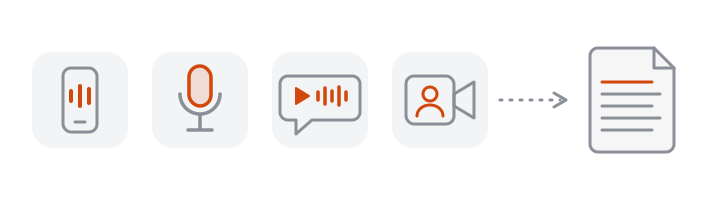
VoceText works with voice recordings you already have: record with any voice memo app, then upload the file. Short voice notes take little time to transcribe. The result is clean, punctuated text you can paste into email, notes or documents.
How to get a voice recording off your phone
| Recording | How to get the file |
|---|---|
| iPhone Voice Memos | Open the memo, tap the three dots, choose Share, then Save to Files |
| Android recorder | Open the recording, tap Share, and save it to your files or drive |
| WhatsApp voice note | On iPhone, tap the message, choose Forward and email it to yourself, then save the attachment; on Android, use the share option |
| Voicemail | Use your phone's option to save or share the message as audio |
Then open this page in your phone's browser and choose the file. For iPhone voice memos, M4A to text has the export steps from Apple's guide. Menu names differ slightly between phone models and app versions.
Common uses
- Capture ideas recorded while walking or driving.
- Read a long voice message instead of listening to it.
- Turn voice notes from colleagues into written action items.
- Draft articles and emails by recording yourself, then editing the text.
Getting clean text from a voice note
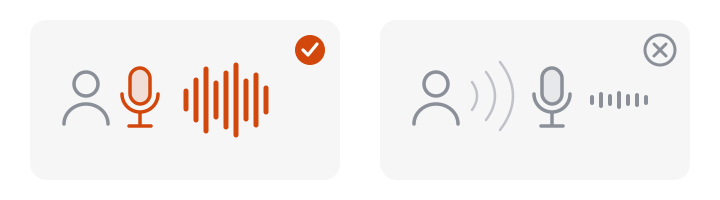
- Hold the phone as you would for a call. Close and steady beats loud.
- Pause between thoughts. Pauses help the transcript break into sensible sentences.
- Say unusual names clearly once. You can correct the spelling in the editor afterwards with a free account.
Recorded voice or live dictation?
| Record, then convert (VoceText) | Live dictation on your phone or computer | |
|---|---|---|
| Best for | Voice notes, messages you received, longer thoughts | Short texts you write as you speak |
| Works on recordings from other people | Yes | No |
| Gives timestamps and subtitle files | Yes | No |
| Needs you to watch the screen while speaking | No | Usually |
If you want words to appear while you talk, use your device's built-in dictation. If you have a recording, or prefer to speak freely and tidy the text afterwards, upload the file here.
Longer voice notes
A ten-minute ramble becomes text you can scan in seconds. The text is divided into passages, and each passage keeps its timestamp, so you can jump back to the part you want to hear again instead of replaying the whole note.
Voice recordings and privacy
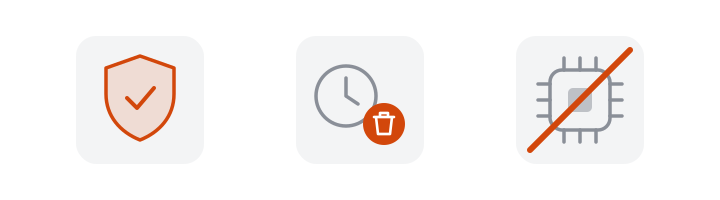
Voice notes are often personal. The audio is deleted automatically after 7 days, transcripts made without an account after 24 hours, and recordings are not used to train AI models.
Free and Pro limits at a glance
| Without an account | Free account | Pro | |
|---|---|---|---|
| Price | Free | Free | $10/month or $96/year |
| Files per day | 1 | 3 | No daily limit |
| Longest file | 10 minutes | 30 minutes | 10 hours |
| Monthly allowance | Daily limit only | 10 hours | 100 hours |
| Speaker identification | Not included | Not included | Up to 10 hours per month |
| Edit and save transcripts | Not included | Included | Included |
| Download formats | TXT, DOCX, SRT, VTT, JSON | TXT, DOCX, SRT, VTT, JSON | TXT, DOCX, SRT, VTT, JSON |
| Transcripts kept for | 24 hours | 30 days | Until you delete them |
Frequently asked questions
Can I convert a voice memo to text?
Yes. Export the memo from your phone (M4A on iPhone, usually M4A or OGG on Android) and drop it into the tool above.
Does it work with WhatsApp voice notes?
Yes. WhatsApp voice notes are .opus files, which VoceText reads directly. On iPhone, WhatsApp keeps voice messages inside the app, so forward the message to your own email and save the attachment. On Android, use the share option.
Can I dictate live into the page?
No. VoceText transcribes recordings you upload; it does not type as you speak. Record with your phone's voice memo app, then upload the file.
Will it add punctuation?
Yes. The transcript includes punctuation and capitalization automatically.
Is it free?
Yes. Without an account you can convert one recording of up to 10 minutes per day. A free account allows 3 per day of up to 30 minutes each.
Which languages can it understand?
You can select from 20 languages, including English, Spanish, Portuguese, German, Italian, French, Hindi, Arabic, Japanese and Chinese, or let it detect the language.
Can it transcribe a voicemail?
Yes, if you can save the voicemail as an audio file. Phone-quality audio is transcribed a little less accurately than a recording made on the phone itself.
How long can a voice recording be?
Up to 10 minutes without an account, 30 minutes with a free account and 10 hours on Pro.
Does it understand accents?
Yes. Regional accents are handled well on clear recordings. Strong accents combined with noise or a poor connection cause more errors, which you can correct in the editor with a free account.