
Best Free Subtitle Generators in 2026 That Export SRT (Free Tiers Checked)
November 2026 comparison of free online subtitle generators that export SRT and VTT—sign-up rules, video length limits, watermarks, and local vs cloud speed.
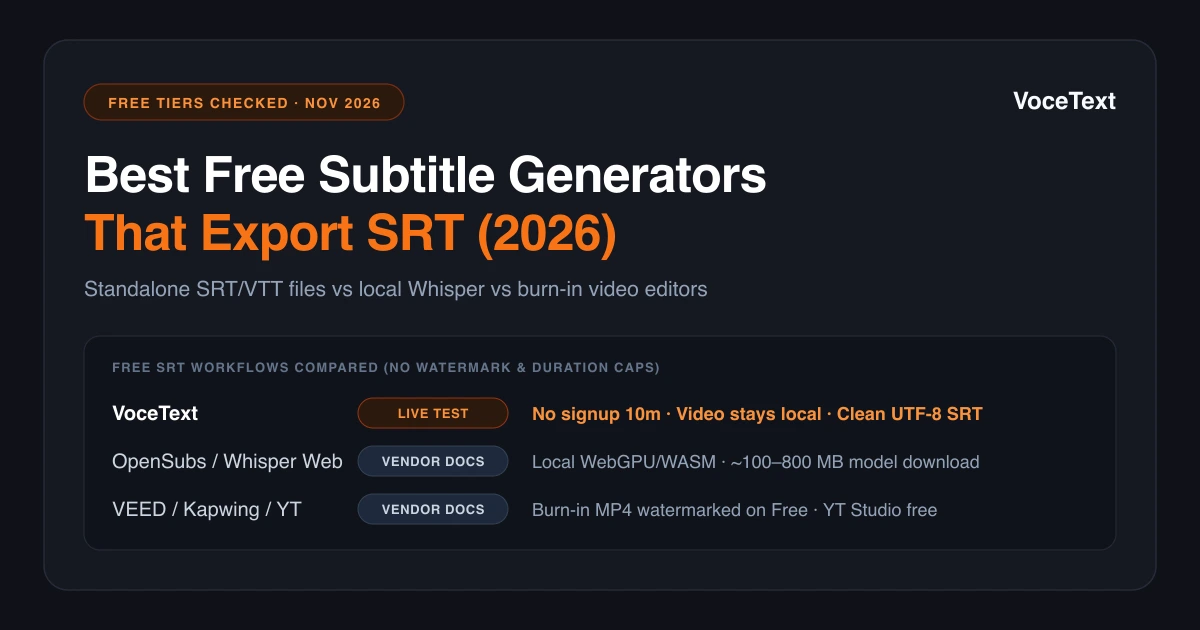
Searching for a free subtitle generator that exports .srt usually turns up two very different kinds of tools—and most roundups mix them together:
- Standalone SRT/VTT generators that transcribe speech and give you a clean
.srtor.vttcaption file for YouTube, Premiere Pro, DaVinci Resolve, CapCut or HTML5 players. - Burn-in video caption editors that stamp styled text onto an MP4 for TikTok, Reels or Shorts—where free tiers almost always add a logo watermark to exported videos or cap monthly minutes tightly.
This guide compares the free tiers checked in November 2026 across the most recommended subtitle generators, including our own tool (VoceText). VoceText's timing and accuracy numbers come from our live 23 November 2026 benchmark; competitor limits reflect published vendor pages checked in November 2026 and are labelled clearly below. Where a local tool or video editor is the better choice—such as hardcoded captions, subtitle translation or unlimited offline runs—we call that out directly.
Quick verdict: which free SRT generator fits your workflow?
| What you need | Best free option (Nov 2026) | Why |
|---|---|---|
| Fast, clean SRT/VTT from large videos on any phone or laptop | VoceText | No sign-up for 10-min videos (3×30 min with free account), video picture stays local (only compressed Opus audio uploads), no ~100–800 MB model download, zero watermark |
| Unlimited free local captions + translation & burn-in on a GPU computer | OpenSubs | Open-source, runs Whisper locally in your browser, exports SRT/VTT/ASS with no watermark and no upload |
| Browser timing editor up to 20 minutes (99 languages) | Whisper Web | Free local mode up to 20 min / 200 MB, 99 languages, editable subtitle timing, SRT & VTT |
| Animated word-level captions for short clips (< 10 min) | Burncaps | No sign-up for SRT/VTT/ASS up to 10 minutes, word-level timing and burn-in support |
| Videos already hosted on YouTube | YouTube Studio Auto-Captions | 100% free draft captions inside YouTube Studio that you can clean up and download as .srt |
| Mac-only offline desktop app | FreeSubtitler / MacWhisper | Runs locally on Apple Silicon Macs with no account, no upload and no watermark |
Free subtitle generators compared side by side (checked November 2026)
| Tool | How checked | Sign-up needed? | Free limit | Subtitle formats | Watermark on free export? | Burn-in / translation? | Runs fast without local GPU? |
|---|---|---|---|---|---|---|---|
| VoceText | Live test (23 Nov 2026) | No (guest); optional free account | Guest: 1 file/day, 10 min Free acct: 3 files/day, 30 min/file, 10 hrs/mo | SRT, VTT (+ TXT, Word DOCX, JSON) | No (all exports clean) | No (separate caption files only; 20 languages) | Yes (browser audio prep + parallel cloud Whisper) |
| OpenSubs | Vendor docs (Nov 2026) | No | Unlimited on your hardware | SRT, VTT, ASS | No | Yes (local editing, burn-in & translation) | Depends on local WebGPU/CPU & model download |
| Whisper Web | Vendor docs (Nov 2026) | No (Free mode) | Up to 20 min / 200 MB per file | SRT, VTT | No | Timing editing; 99 languages | Local in Free mode; cloud on paid plan |
| Burncaps | Vendor docs (Nov 2026) | No (up to 10 min) | Free SRT up to 10 min/recording | SRT, VTT, ASS | No (on subtitle files) | Yes (word-level timing & burn-in) | Depends on local device / browser mode |
| FreeSoundTools | Vendor docs (Nov 2026) | No | No published usage cap | SRT, VTT | No | Timing adjustment; client-side | Depends on local browser hardware |
| Online video editors (VEED / Kapwing / Descript free) | Vendor docs (Nov 2026) | Yes | Typically 10–60 min/month total | SRT/VTT (varies by vendor) | Yes on rendered MP4 videos (clean SRT on most) | Yes (styling, templates & burn-in) | Yes (uploads full video) |
| YouTube Studio | Vendor docs (Nov 2026) | YouTube account | Unlimited for your uploaded videos | SRT | No | Auto-translate available in player | Yes (after YouTube upload finishes) |
Disclosure: VoceText is our own service. VoceText's speed and accuracy figures below come from our public 23 November 2026 live benchmark; competitor limits reflect published product documentation checked in November 2026.
Tool-by-tool breakdown
1. VoceText — fastest browser workflow for clean SRT/VTT without uploading full video files
- How it works: Your browser extracts and compresses only the audio track to Ogg/Opus—so video frames never leave your device—and runs parallel Whisper
large-v3-turboon the server. - Free tier (tested live): 1 video/day up to 10 minutes with no sign-up, no credit card and no watermark; a free account unlocks 3 videos/day up to 30 minutes each (10 hours/month) plus in-browser text editing before export.
- Live speed & accuracy test (23 Nov 2026): On a 24-minute, 48.0 MB NASA SpaceX Crew-1 MP4, VoceText uploaded only 3.92 MB of Opus audio (91.8% smaller) and finished end-to-end in 55.9 seconds (25.8× real-time) with 4.17% WER across 768 ear-audited words. Full data is in our real-recording transcription benchmark.
- Formatting details: Exports plain UTF-8
.srtand.vttwrapped at up to 84 characters per cue (matching Netflix's 42×2 two-line guideline), with optional speaker labels on Pro ($10/month). - Where it is not the right fit: Does not burn captions onto MP4s, does not translate into other languages, does not accept YouTube links, and supports 20 languages rather than 99.
Try Video to SRT or the Free Subtitle Generator directly without creating an account.
2. OpenSubs & local WebGPU subtitle tools (OpenSubs, FreeSoundTools, Whisper Web Free)
- Best for: Desktop users with a WebGPU-capable browser or Apple Silicon machine who want unlimited free captions, zero network upload, or built-in subtitle timing and translation tools.
- Practical trade-off: Local Whisper models weigh ~100–800 MB (~100 MB for small models up to ~750–800 MB for
large-v3-turbo) and lean heavily on local GPU/RAM. On phones, tablets or older laptops without WebGPU, browser-only tools often fall back to smaller models or stall on 20-minute videos.
3. Burncaps
- Best for: Short-form creators (< 10 minutes) who want no-signup
.srtexports alongside word-level animated captions for Reels, TikTok or YouTube Shorts.
4. Online video editors (VEED.io, Kapwing, Descript free tiers)
- Best for: Styling fonts, colours and animated burn-in captions directly inside a browser video editor.
- Catch to watch for: Almost all require an account before export, enforce tight monthly transcription caps (often 10–60 minutes/month), and stamp a visible watermark onto rendered MP4 exports—making them heavier than necessary if you only want a clean
.srtfile for YouTube, Premiere Pro or DaVinci Resolve.
5. YouTube Studio Auto-Captions
- Best for: Creators already publishing to YouTube who do not mind waiting for YouTube's processing queue and editing rough punctuation in Studio before downloading the
.srt.
Choosing by video length
- Short video (under 10 minutes): Use VoceText without signing up for instant clean SRT/VTT on any device, or Burncaps if you want word-level animated captions.
- 10 to 30 minutes (YouTube tutorials, interviews, webinars): Use a free VoceText account (3 videos/day, 10 hrs/mo, no video upload, fast on laptops and phones) or Whisper Web (up to 20 min / 200 MB).
- 1 hour or longer: Run a local Whisper tool (OpenSubs on a fast GPU desktop, FreeSubtitler on macOS, or Whisper CLI) for unlimited $0 processing, or use VoceText Pro ($10/month, up to 10 hours per file) if you want 25× real-time browser processing without local setup.
Also comparing general audio-to-text tools (TXT and Microsoft Word exports)? Read our 2026 free audio transcription tools guide.
Frequently asked questions
What is the best free subtitle generator that exports SRT with no watermark?
For fast browser-based SRT and VTT exports on any phone or laptop without downloading a local AI model, VoceText gives 1 file/day up to 10 minutes with no sign-up and 3 files/day up to 30 minutes (10 hours/month) with a free account—all watermark-free. If you have a modern GPU computer and want unlimited local captions with burn-in or translation, OpenSubs runs Whisper locally in your browser with no watermark.
How can I make SRT subtitles from a video for free online without signing up?
Drop your MP4, MOV, WebM or MKV file into a no-signup subtitle generator such as VoceText (up to 10 minutes/file as a guest, with only the audio track uploaded), OpenSubs (local browser processing) or Burncaps (up to 10 minutes free), wait for automatic speech recognition, review names and numbers, and export a plain UTF-8 .srt file.
Do free subtitle generators add watermarks to SRT files?
Plain .srt and .vtt files are text files and usually do not carry a visual watermark, though some services lock SRT export behind a paid tier or add a watermark whenever you export a rendered MP4 with burned-in captions (common on VEED, Kapwing and Descript free plans). VoceText exports clean UTF-8 SRT and VTT files with zero watermark or promotional text on every tier.
Should I export a separate SRT file or burn subtitles into the video?
Export a separate SRT (or VTT) file for YouTube, Vimeo, web players, Premiere Pro, DaVinci Resolve and CapCut—viewers can toggle captions on/off, search engines can read them, and you can restyle fonts later. Burn captions directly into the MP4 only when publishing to apps that do not accept caption uploads.
Which free subtitle generator is best for videos longer than 30 minutes?
For 1-hour+ videos at $0, use a local Whisper tool on your own computer (such as OpenSubs in a WebGPU browser, FreeSubtitler on Apple Silicon Macs, or desktop OpenAI Whisper / Buzz). If you are on a phone or older laptop without a GPU, VoceText Pro ($10/month) handles videos up to 10 hours per file (100 hours/month) in the browser.
When were these free-tier limits checked?
Free-tier limits and export rules in this guide were checked in November 2026, with VoceText's 24-minute NASA MP4 timing and accuracy benchmark logged live on 23 November 2026. Check each tool's site for current limits before starting a large project.